Into the lobby in two taps
The at99 icon sits right on your home screen. Tap to open, tap again to jump back into the game you were playing — no need to type any URL.
The official at99 APK file for Android phones, plus a guide to adding at99 to your home screen on iPhone. The file is lightweight — just install and log in with your existing account right away.
The at99 app packs the full game lobby, wallet, and bet history into one lightweight APK. No more opening a browser every time you play, no repeated password prompts — and promo alerts land straight on your phone.
If you're reading this on a computer, open at99.games/at99-app on your phone and tap download — or scan the QR code in the app intro section below to jump straight to the download page.

at99.apk
Version 3.4.3 · updated 21/11/2026 · requires Android 7.0 or higher
Check these three quick things so your first install goes smoothly:
The app keeps only the features players actually use every day and cuts out the extra steps. Everything listed below is visible the moment you open it.
The at99 icon sits right on your home screen. Tap to open, tap again to jump back into the game you were playing — no need to type any URL.
Choose MoMo, ZaloPay, VNPay, or bank transfer right inside the app. Deposits usually hit your wallet within about 5 minutes, no need to switch to another app.
Reload bonuses, daily cashback, and new VIP milestones are pushed straight to your notification bar. You can turn each type on or off in the app settings.
After your first login, you can enable fingerprint or face unlock to open the app. Your password is never stored as plain text on your device — it stays on at99's servers.
Slots and fish shooting games look great in landscape, while the bet board and transaction history work better in portrait. The app rotates automatically based on how you hold your phone.
The interface is pre-compressed, so a slots session uses far less data than playing through a browser — great for users on a limited 4G data plan.
Follow all five steps below in order. If you skip the step to allow installs from unknown sources, your phone will show "App not installed" at the final step.
Go to Settings, find Security or Apps, then select "Install unknown apps" and enable it for the browser you're using. On Android 8 and above, this dialog will also pop up automatically the first time you open a downloaded file.
Required for APKCome back to this page and tap the Download APK button. The at99.apk file is 45 MB and will be saved in your Download folder. If your connection is slow, wait for the progress bar to finish before opening — cancelling halfway will corrupt the file.
Pull down the notification bar, tap at99.apk, then select Install. Android may ask once more about the unknown source — just choose to continue. Unpacking takes around 20 to 40 seconds depending on your device.
Open at99 App, enter your phone number and password. If you don't have an account yet, register first and then come back to log in. Check the detailed login guide if you've forgotten your password or your account is temporarily locked.
Open the login pageGo to Settings in the App, turn on fingerprint lock, set your language to Vietnamese, and check your wallet balance. If you just made your first deposit, review the bonus terms before entering the game lobby so you don't miss out on any promotions.
iOS doesn't support APK files, so the at99 app is added to your home screen as a web icon. This method keeps the same speed, notifications, and interface as a native app.

The table below shows the official specs for the current installation file. If your device doesn't meet the requirements, use the web version instead of installing the file.
| Specification | Details |
|---|---|
| Version | 3.4.3 |
| File size | 45 MB |
| Minimum OS | Android 7.0 or higher |
| Last updated | 21/11/2026 |
| Cost | Free |
| Language | Vietnamese, English |
| Supported devices | Android phones and tablets; iPhone and iPad via Add to Home Screen |
When a new version is available, the app will prompt you to update as soon as you open it. You can also re-download the file from this page and install it over the old version without losing your balance or bet history. All account data is stored on the server, not on your device.
All the main game categories, all running within the same app.

FA Chai · RTP 95.8%
Habanero · RTP 95.2%
Sexy Gaming · RTP 96.5%
Sexy Gaming · RTP 96.1%
The slots lobby is the largest section in at99 App, alongside live casino, Sic Bo, fish shooting, and sports betting. In total there are 2,600 titles from Spribe, KA Gaming, Habanero, JDB, FA Chai, and Sexy Gaming. Minimum bets start from just 1,000 ₫ on many slots, making it easy for newcomers to get started.
Both share the same account and balance. This table helps you pick the right way to play based on your habits and the phone you're using.
| Criteria | at99 App (APK) | Web browser version |
|---|---|---|
| Setup | Download a 45 MB file, install once, use long-term | No install needed — just open the link |
| Getting to the lobby | Tap the icon and go straight to where you left off | Open your browser, type the address or use a bookmark |
| Mobile data | Uses less data thanks to a pre-compressed interface | Uses more data when reloading pages |
| Notifications | Receive promo alerts and update reminders | Only visible when you open the site |
| Updates | Re-download the file when a new version is released, then install over the old one | Automatic — always the latest version |
| Compatibility | Android 7.0 or higher | Any device with a browser, including iOS |
| Best for | Regular players who mostly play on their phone | Casual players, iOS users, or those on a shared PC |
If your phone doesn't have enough free storage or is running an older version of Android, the web version gives you the full experience using the same account. You can also log in on the web to check your betting history, then switch back to the App once you've cleared up some space.
A trustworthy app only asks for the permissions it actually needs. Here's what at99 App requests and why.
Only download the file from this page. APK files shared through chat groups or unknown sites may have modified code, even if the filename looks identical. Before installing, confirm the file size is exactly 45 MB and the version is 3.4.3.
The app needs read access to store graphic resources and game images, so things load faster next time. This data is only game assets and config files — it never touches your personal photos or messages.
Your fingerprint or face data always stays inside your phone's security chip. The app only receives a pass or fail result — at99 never stores or reads your biometric data.
The app does not need access to your contacts, messages, location, or camera. If you see a dialog asking for any of these, stop — there's a good chance you've opened a file that isn't our official version.
After installation, it's a good idea to turn off the "install from unknown sources" permission for your browser so your phone doesn't accidentally install other files later. If you switch phones, just re-download and log in — your balance and history will all be there.
The five situations below cover most failed installs. Work through the solutions column from top to bottom — most issues are sorted in one go.
| Symptom | Cause | How to Fix |
|---|---|---|
| "App not installed" error | Install from unknown sources is off, or not enough free storage | Re-enable install permission for your browser, delete some photos or unused apps to free up at least 120 MB, then open the file again. |
| Downloaded file shows "Package parse error" | Download was interrupted, leaving the file incomplete | Delete the old file, switch to Wi-Fi, and download again from scratch. Confirm the file is exactly 45 MB before installing. |
| App opens then closes immediately | Android version older than 7.0, or leftover cache from a previous install | Uninstall the old version, restart your phone, then install file 3.4.3 again. If your device is below Android 7.0, use the web version instead. |
| Installed but can't log in | Wrong password, account temporarily locked, or device clock is out of sync | Double-check your password, enable automatic time sync via network, then try again. If the error persists, follow the login recovery guide. |
| Not receiving notifications | Notification permission is turned off in your phone's settings | Go to at99 App permissions, turn on notifications, and disable any battery-saving mode that's blocking background activity. |
If you've tried all five fixes and it still won't open, contact support on live chat while you're playing. The agent may ask for your phone model and Android version to pin down the cause — most cases get sorted in a single chat.
The app keeps what you use most on the first screen: your wallet, your current lobby and any active offers. Everything else sits neatly in the menu, out of the way when you want to place a bet fast.
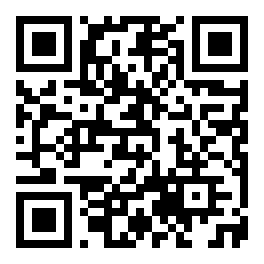
Scan this code with your phone camera to open the download page directly — handy when you're browsing on a computer.
The questions players send most during their first week with at99 App.
The file on this page is the official build from the at99 technical team, the same version 3.4.3 that shows up in every update. It only asks for storage and notification permissions — no contacts or messages. Download it here only, and skip files sent through unknown chat groups.
Check three things: whether installs from outside the store are allowed, whether your phone has at least 120 MB free, and whether the downloaded file is the full 45 MB. If any one is off, fix it and open the file again. Still failing? Uninstall the old version and restart your phone before installing again.
No. Your balance, bet history and bonus tickets are stored on the server, not on the phone. Download the new version and install it over the old one — no uninstall needed, nothing changes. Even on a new phone, just log in and everything is there.
The app is completely free — no paid tiers and no ads cutting in while you play. The only possible cost is mobile data for the download. Use Wi-Fi to grab the 45 MB file and save data, then play as normal.
iPhone won't accept APK files, so use the Add to Home Screen option in Safari instead. The at99 icon will sit alongside your other apps and open full screen. It feels much like an app, with slots, live casino and e-wallets all there.
Whenever you like, as long as you have an account and are logged in. Installing the app first is easier since your wallet and deposit QR codes are right there. The minimum deposit is 140,000 ₫, and funds usually arrive in about 5 minutes.
Just log back in with your old phone number and password and carry on — uninstalling doesn't delete your account. If paperwork for your first withdrawal isn't complete yet, you'll be prompted to finish it before withdrawing, with approval taking around 24 hours.
Ready to install at99 App?
A 45 MB file, free to download — once installed, the game lobby is right there on your phone.
Download APK Create an AccountOnce it's installed, read our first deposit guide to claim your welcome offer, and check the withdrawal guide when you want to send money back to your bank.